WEBP to JPG Converter
WEBP isn't supported everywhere yet. Convert to JPG for maximum compatibility — works in every app, email client, and device without issue.
Why convert WEBP to JPG?
WebP is Google's modern image format and it's great for the web — but compatibility outside the browser is the catch. Many older photo editors, some operating systems, certain printing services, and a lot of legacy software still don't recognize WebP files. JPG, by contrast, works absolutely everywhere.
If you've downloaded a WebP image (most images saved from the web are now WebP) and your photo editor, email client, or printing service can't open it, converting to JPG fixes the problem instantly.
The conversion preserves the image quality — JPG handles photographic content extremely well — but the output file will typically be larger than the WebP source, because WebP is more efficient.
About WEBP
WebP is Google's image format, released in 2010. It uses more efficient compression than JPG, producing smaller files at the same visual quality. Modern browsers all support it, but software outside the browser ecosystem hasn't all caught up yet.
About JPG
JPG (Joint Photographic Experts Group) is the universal photo format, in use since 1992. It works in every photo editor, every operating system, every printing service, and every messaging app — making it the safe choice when you need a photo to work everywhere.
WEBP vs JPG at a glance
| WEBP | JPG | |
|---|---|---|
| Released | 2010 | 1992 |
| Compression | Lossy or lossless | Lossy only |
| Transparency | Yes | No — filled solid, usually white |
| Animation | Yes | No |
| Support | Current browsers; patchy in desktop software | Everything ever made |
| Best for | Web delivery | Sharing, printing, uploading anywhere |
When converting is the right call
- Someone sent you a WebP and the program you need won’t open it.
- An upload form, print shop or photo service accepts JPG and nothing else.
- You want a file that will open on any device without a second thought.
- You need something smaller than the PNG route would give you.
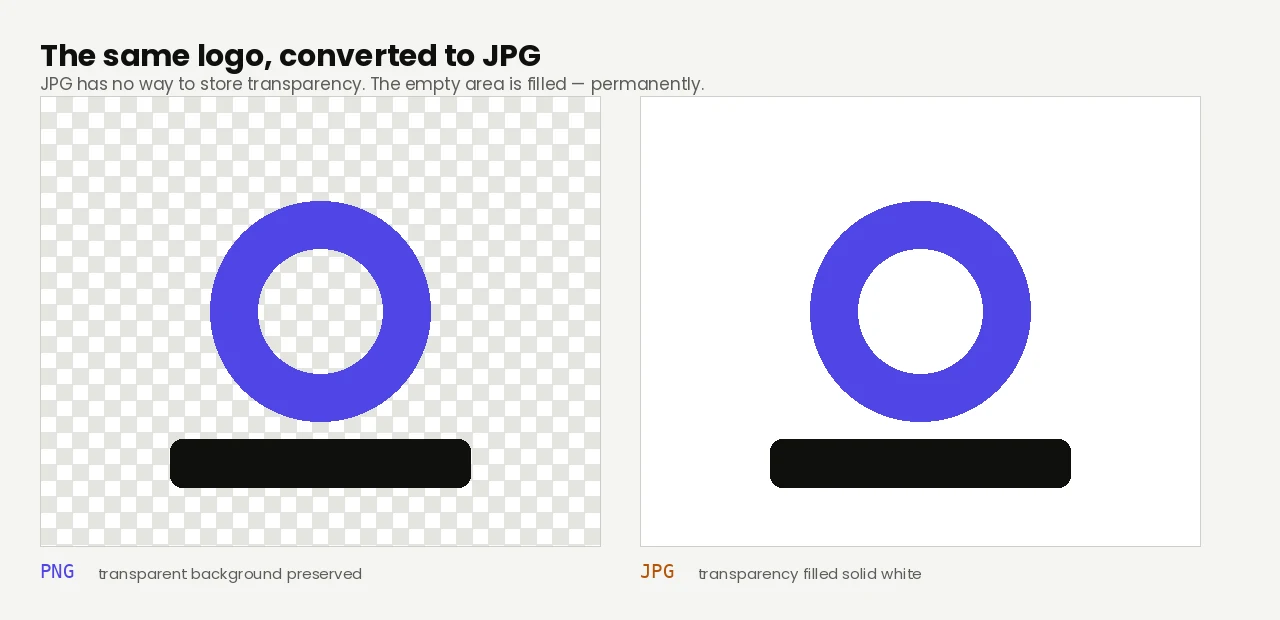
If the WebP has a transparent background — a logo, an icon, a cut-out — JPG has no way to store it, and those areas come back filled with solid white. There is no undoing that afterwards. Where you need both transparency and compatibility, WebP to PNG keeps it, at the cost of a much larger file. Converting a lossy WebP to JPG also re-compresses already-compressed data, so use a high quality setting rather than a low one.
Quality and file size
On photographic content the JPG output is visually identical to the WebP source. The output file will be larger, typically by 30–50%, because JPG's compression isn't as efficient as WebP's. There's a small re-encoding loss but it's invisible to the eye.
Worth setting expectations: this conversion usually costs you size. On one 1280 × 964 WebP already compressed to 85 KB, the JPG came out at 189 KB — 2.2× larger.
How these figures were measured →
Filesmith runs entirely in your browser using WebAssembly. Files are never uploaded to any server — conversion happens locally on your device, instantly and privately.