OGG to MP3 Converter
OGG is an open format not supported by many apps and devices. Convert to MP3 for a file that plays everywhere without issues.
Why convert OGG to MP3?
OGG is an open-source audio format that usually contains Vorbis-encoded audio. It's a strong technical alternative to MP3, with comparable or slightly better quality at the same bitrate — but it never achieved widespread device support. Most car stereos, older MP3 players, and some media playback software don't recognize OGG files.
MP3, despite being older and slightly less efficient, is the universal format. It works on every device, every app, every platform. Converting OGG to MP3 trades a tiny bit of theoretical efficiency for the practical benefit of compatibility.
If you've downloaded a music file in OGG format and it won't play in your car or on your portable music player, this is the conversion you need.
About OGG
OGG is an open-source multimedia container, usually containing audio encoded with the Vorbis codec. Vorbis was designed as a free alternative to MP3 and is technically very capable — but it suffers from limited hardware and software support outside of dedicated media players.
About MP3
MP3 (MPEG-1 Audio Layer III) is the universal compressed audio format. It's been the standard since the late 1990s and runs on every device on the planet.
OGG vs MP3 at a glance
| OGG | MP3 | |
|---|---|---|
| Codec | Vorbis, or sometimes Opus | MP3 |
| Licensing | Open and royalty-free | Patents have expired; free to use |
| Efficiency | Better than MP3 at the same bitrate | Older, less efficient |
| Support | Firefox, Chrome, Android, most games | Everything, including twenty-year-old hardware |
| Typical source | Games, Wikipedia, open-source projects | Almost everything else |
| Best for | Web and software where you control playback | Handing a file to someone else |
When converting is the right call
- A device or program refuses to play OGG — which is most consumer hardware.
- You’re sending audio to someone else and want it to just work.
- Editing software you use won’t import Vorbis.
- You’re standardising a library that has ended up in several formats.
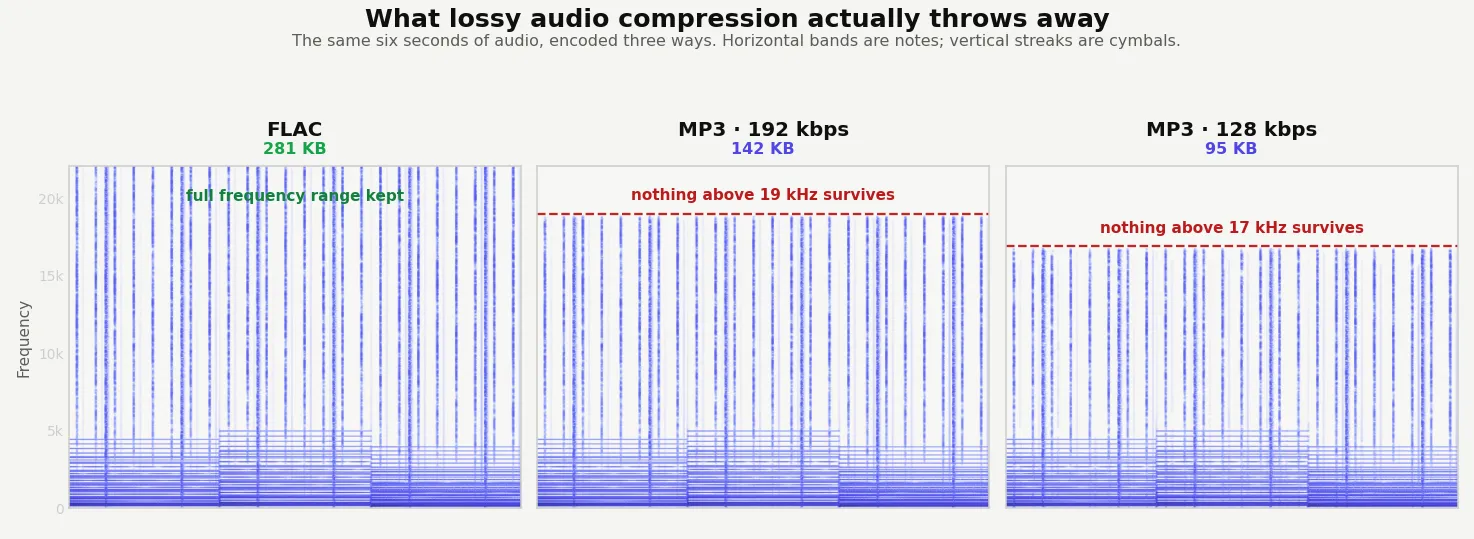
OGG Vorbis is technically the better codec — at the same bitrate it generally sounds better than MP3. Converting is a downgrade in efficiency that buys you compatibility, which is usually the trade worth making. Since both formats are lossy, use a high bitrate so the second compression pass doesn’t stack audibly on the first.
Quality and file size
Both OGG Vorbis and MP3 are lossy formats, so there's a small quality loss from re-encoding. At 192 kbps or higher, the difference is inaudible. The output MP3 will be very similar in size to the source OGG at comparable quality settings.
OGG Vorbis is efficient, so MP3 rarely improves on it. A 241 KB OGG became a 539 KB MP3 at 320 kbps, or 324 KB if you match the bitrate more closely.
How these figures were measured →
Filesmith runs entirely in your browser using WebAssembly. Files are never uploaded to any server — conversion happens locally on your device, instantly and privately.