Word to ODT
Convert DOCX to OpenDocument Text — free, in your browser
Convert a Word document into OpenDocument Text — the format LibreOffice, OpenOffice and many Linux and government workflows expect. Headings, lists, tables and formatting are preserved, and nothing is uploaded.
Why ODT
What’s preserved
Headings and paragraph styles, bold, italic, underline and strikethrough, alignment and indents, bullet and numbered lists, and tables all carry across into the ODT. The file opens natively in LibreOffice, OpenOffice, and recent versions of Word.A note on file size
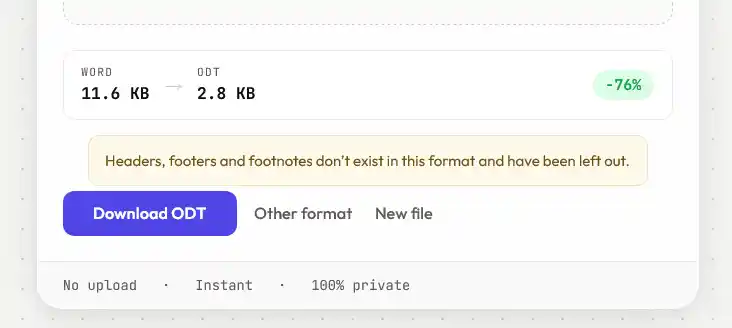
ODT files look surprisingly small — often a few kilobytes for a long document. That’s not data loss; ODT is a compressed (zipped) format, and text compresses heavily. The full content is there and reopens intact.Old .doc files
The old binary .doc format can’t be read in a browser. Save it as .docx first, then convert it here.What ODF actually is
ODT is one part of OpenDocument Format, an open standard published as ISO/IEC 26300. Under the hood it's built much like .docx — a zip archive containing XML — which is why conversion between them is largely a matter of translating one vocabulary into another rather than rebuilding anything.
The practical difference is ownership. ODF was developed as a vendor-neutral standard, which is why a number of governments and public bodies specify it for documents that have to remain readable decades from now, without depending on one company's software still existing.
Where the round trip gets lossy
Converting one way is clean. Converting back and forth repeatedly isn't, because each format has features the other has no equivalent for. Things that tend not to survive a full round trip:
- SmartArt and Word-specific diagram objects
- Content controls and structured document tags
- Some field codes, particularly cross-references and computed fields
- Macros, which don't transfer between the two ecosystems at all
Ordinary documents — text, headings, lists, tables, images, footnotes — move between the two without drama. It's the Word-specific extras that don't have anywhere to go.
Convert a copy rather than replacing your .docx, especially if the document still has editing to do. If you need to hand the file back to someone working in Word later, exporting a PDF alongside is often the safer way to share a finished version.