MP4 to GIF Converter
Turn a short MP4 clip into a looping GIF. Perfect for reactions, demos, and social media. Keep clips under 10 seconds for best results.
Why convert MP4 to GIF?
GIF was created in 1987 and is the most universally supported animated image format — it works everywhere from email clients to old forum software. Despite being technically obsolete in many ways, GIF persists because nothing else has matched its plug-and-play compatibility for short looping animations.
Converting an MP4 to GIF lets you turn a video clip into an animated image you can post on virtually any platform, embed in any document, or send through any messaging app. The tradeoff is file size — GIFs are far less efficient than modern video formats, so they should be kept short (a few seconds) and small in dimensions.
Use this for memes, reaction clips, short demonstrations, and anywhere you need an animation that just works without any video player.
About MP4
MP4 is the modern universal video container. It uses efficient codecs like H.264 to store full-quality video at small file sizes.
About GIF
GIF (Graphics Interchange Format) was created by CompuServe in 1987 and is the original animated image format. It uses an old, inefficient compression method, but its universal support means it works absolutely anywhere — making it the go-to format for short animations that need to play without a video player.
Quality and file size
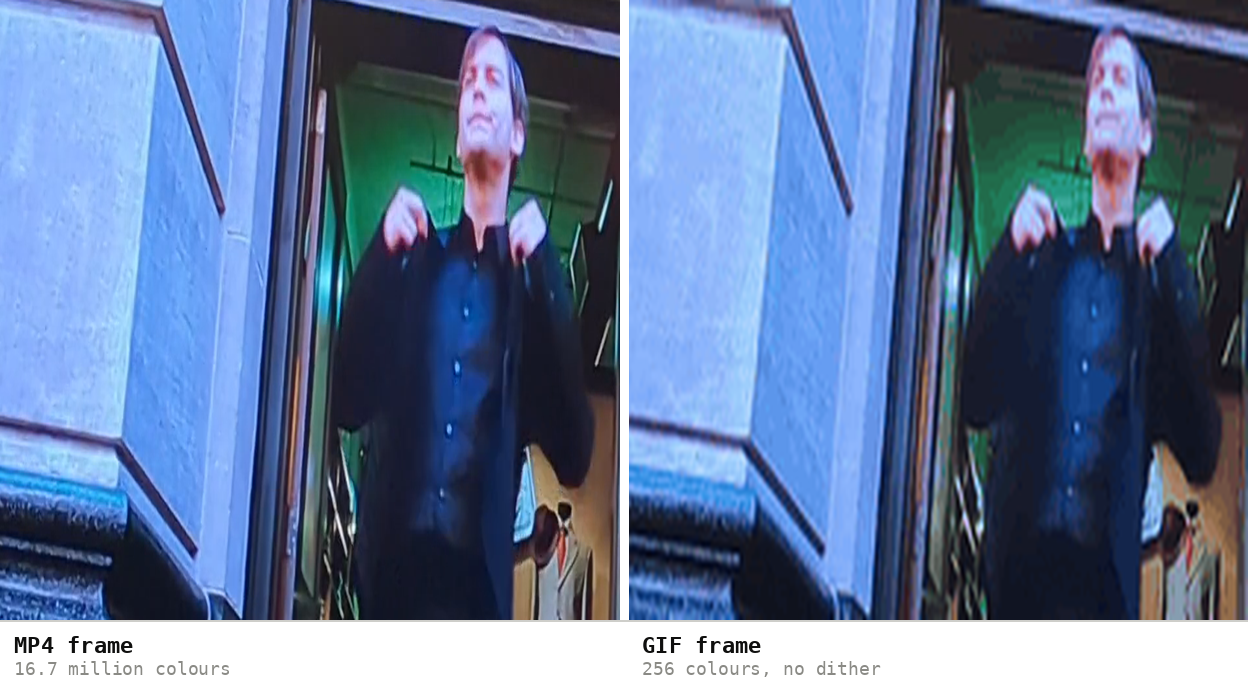
GIF is limited to 256 colors per frame, so the output will look noticeably different from the original MP4 — colors are simplified and gradients can show banding. For best results, keep the source clip short (under 10 seconds), use a smaller output size, and don't expect crisp video quality. For longer or higher-quality clips, consider keeping the MP4 and embedding it as a video instead.
GIF is far less efficient than video, so expect the file to grow relative to the clip length you keep. Four seconds of one 13.8-second 2160 × 1064 phone clip came to 3.5 MB as a 480px GIF at 12fps — against 6.0 MB for the same four seconds as MP4. Keep the full 24fps and the GIF lands at 6.4 MB, slightly larger than the video it came from.
How these figures were measured →
Filesmith runs entirely in your browser using WebAssembly. Files are never uploaded to any server — conversion happens locally on your device, instantly and privately.
When a GIF is the right choice
GIF wins on reach, not on quality. It plays itself — no play button, no player, no autoplay policy to argue with — which makes it the format that works in the places video doesn't: email signatures, chat apps, documentation pages, issue trackers, knowledge-base articles.
That gives a simple rule. Make a GIF when the destination needs one. If you're posting to a social feed, upload the video instead — those platforms convert an uploaded GIF to video anyway, so you gain nothing and lose quality on the way.
Short clips with bold, simple visuals survive the 256-colour limit best. Long clips and fast motion get chunky and enormous.
Two-pass palette generation
The conversion here builds the palette in two passes: the first scans the whole clip to work out the best 256 colours for all of it, the second renders every frame against that fixed set. Tools that pick colours frame by frame produce a palette that shifts as the clip plays, which is what causes the shimmering, boiling look on cheaper GIF sites.
If you want control over frame rate, width, trimming and dithering rather than sensible defaults, the GIF maker exposes all of it with a live size estimate.